Croft Messaging, Croft Caller, Croft Contacts
The stock messages, phone and contacts apps on GrapheneOS and F-Droid are thin on features, so most people settle for Google Messages, a paid app from the Play Store, or a free one full of ads. Croft is the free, full-featured option, and the three apps work as one.
Croft replaces those apps on Android and GrapheneOS. Messaging, Caller and Contacts are free and will always be free, with no ads and no telemetry. Use one, two or all three. Croft Plus is an optional paid layer, currently in testing.
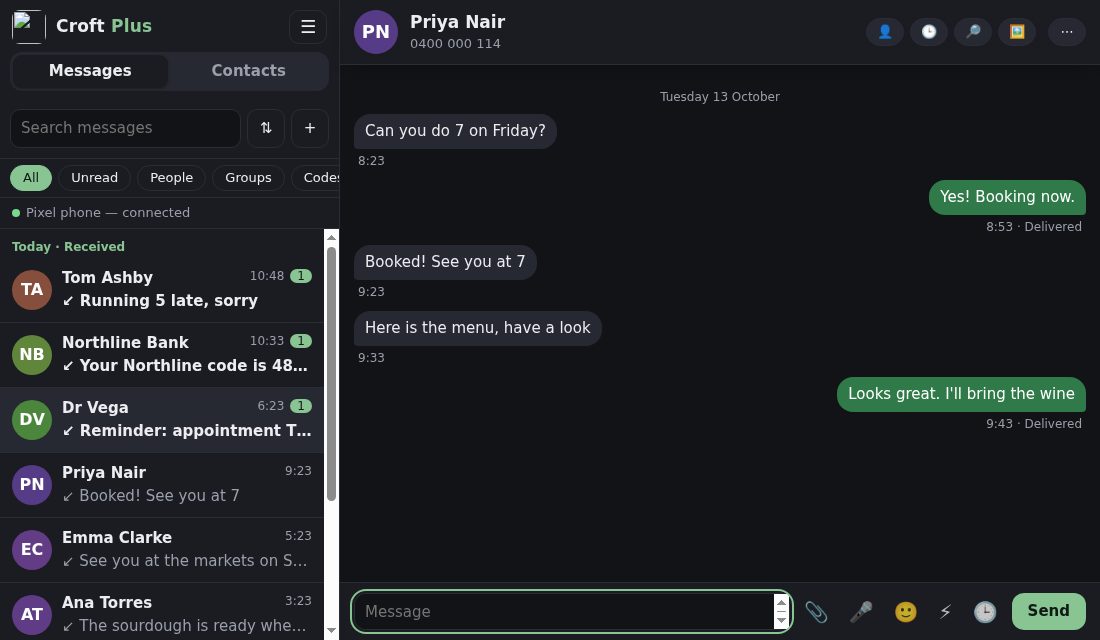
Croft is separate from Udal and doesn't use the Udal browser, apps or Tunnel. In Scotland a croft is a small holding, usually rented from a landlord. Plus relies on outside services such as Cloudflare relays, so we don't call it udal. There is no privacy in plain SMS and MMS: they go through the carrier and are effectively public record. That changes only when both people are on Croft Plus.
Texting, finally done properly
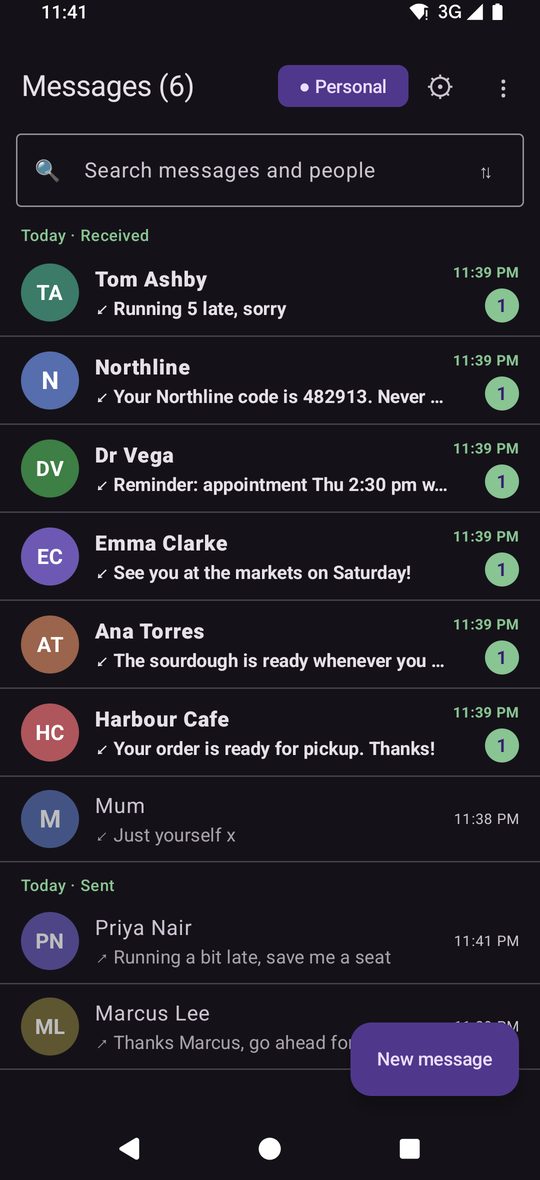
Everything your phone's stock messages app should have been: search that finds it, a send you can take back in the first few seconds or schedule, photos the right way up, an inbox that sorts itself. No account, no ads.
Search that finds it
Names, numbers and the words inside messages, even when you mistype. Shortcuts like from:sam, has:image, in:codes, last:7d.
Undo it, or send it later
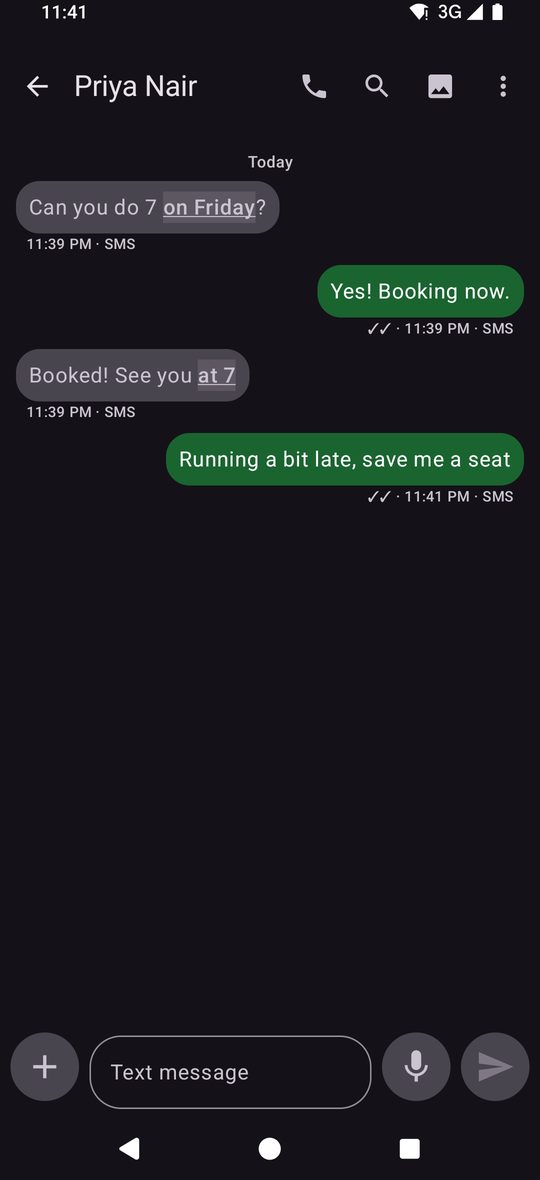
Hold a text for 3, 5 or 10 seconds before it goes so you can take it back, or schedule it: in an hour, this evening, tomorrow 8 am, or a time you pick, repeating if you like.
Pictures arrive the right way up
Photos and videos that come in sideways or upside down are spotted on your phone and turned. One that is already right is never touched.
Codes in one tap
Verification codes get a copy button and expire on your schedule, and banks, shops and promotions are kept apart from people.
Everything Croft Messaging doesShow all 49Hide
Sending and scheduling
- Undo send: each text is held for 3, 5 or 10 seconds before it goes (text messages only)
- Send later: presets, or pick a date and time; repeat daily, weekly or monthly
- Scheduled list to review and cancel; exact timing option so it goes on the minute
- Smart SMS or MMS: banks, short codes and landlines stay SMS; or force plain SMS, long texts as MMS, or always MMS
- Group send: one group conversation, or a separate text to each person, chosen per message
- Picture sizes: Auto, Small, Medium, Large or Original, with a warning before it is too big for a text
- Coming: scheduling and undo for picture messages (today it is text only)
Reading and replying
- Reply (quote), forward, star, pin a message, select several and copy, forward or delete
- Reactions on any message, sent as a normal text on SMS
- Tappable details: phone numbers, emails, links, addresses, dates and codes become actions
- Find in this conversation with next and previous
- Newest message first: opening a conversation lands on the latest; a counter shows new ones
- Per-conversation colour and bubble colours by route
- Voice notes you can listen to before sending, and a dictation button
Find anything
- Close spellings found as well as exact matches
- Advanced filters: starred, sent by me, when, kind of message, from or with
- Saved searches and search inside starred, trash or hidden
- Search inside words with an optional index
- Categories: All, People, Codes, Transactions, Promotions
Keep it tidy
- Group and sort by day, newest, oldest, name, unread on top, or no grouping
- Archive (and unarchive when they write again), trash with a retention time
- Pin, mute (1 hour to forever), VIP, hide a conversation
- Rules that auto-archive, delete or block by number or sender name
- Swipe actions you choose, and bulk actions on selected conversations
- Auto-reply while you are busy, once per person, never to companies or codes
Typing that helps
- Spelling suggestions above the keyboard, never changed until you tap
- Next-word suggestions learned on your phone only
- My words: names and brands you type are kept with your capitals, and you can edit or forget them
- Plain characters option so curly quotes do not push a text onto a second part
- A counter shows when an emoji changes the text's encoding
Pictures and files
- Viewer to swipe through a set, save, share or open
- Collage, stack or row layouts for several pictures
- Media gallery for every conversation
- Camera and files from the composer, with location sharing
- Automatic upright for sideways photos and videos
Safety
- App lock using your phone's own screen lock
- Hide message text in notifications and on the lock screen
- Link warnings on suspicious links, red and underlined
- Spam hints: unknown sender, risky link, sender name instead of number
- Block numbers or sender names; blocked texts are kept, never notify
- Quiet hours, snooze, and VIPs that still make a sound
Your data
- Full backup to one file, optionally passphrase-protected
- Restore from Croft, an older backup or SMS Backup & Restore, with a review of what is new
- Export a conversation as text, or everything as SMS Backup & Restore XML
- Import from the phone's own message store without changing it
Looks and layout
- Light, dark or follow the phone, with four tested palettes
- Widget with unread count and latest conversations
- Tablet and landscape layouts with list and conversation side by side
- Compact mode and avatar options
What each app does, and what you gain by connecting them
Each Croft app does more than the stock app on its own. Connect two or three and they gain things the stock apps can't do, because those can't see each other. Nothing is required: if one is missing, the phone's own app does that job.
One app on its ownCompared with the phone's stock app.
Messaging alone
instead of the stock messages app
- Full SMS and MMS, including group MMS and per-recipient fallback
- Instant search across names, numbers and message text
- Message rules, plus backup and restore
- Pictures that arrive upside down are put right automatically
- Voicemail and missed-call notes in your messages (being fixed; depends on what each carrier sends)
- Filter, group and sort conversations, with unread on top
- Typing help that learns from your own texts, on the phone
- Send later and quick replies
- Phone numbers, emails and dates in a message become actions
- Spam and block, app lock, hidden conversations
Caller alone
instead of the stock phone app
- Recent calls grouped by person, with a Missed filter
- Notes that appear the next time that person rings
- Call-back reminders and a clear after-call screen
- A second caller handled in one panel, with decline-with-a-text
- Answer on speaker, Bluetooth first
- Keypad that hides digits for PINs
Contacts alone
instead of the stock contacts app
- Merge duplicates, choosing each field to keep
- Personal and Business numbers and emails
- Fix numbers and clear empty cards
- Open and share vCard files
- Contact list and card side by side on a wide screen
Two togetherMessaging + Caller, Messaging + Contacts, Caller + Contacts.
Messaging + Caller
texts and calls know about each other
- Call a person from their conversation and it dials at once, with a bar to return to the call
- Message a caller from the call list, or reply to a missed call with a text
- A person's history shows calls and texts in one place
- A voicemail turns into a note in Messaging with a tap-to-call line
- After a call, send a follow-up text in one tap
- Decline an incoming call with a text from Messaging's quick replies
Messaging + Contacts
names and numbers follow you
- Tap a name in a conversation to open their full contact card
- Edit a contact, or add a new number, without leaving Messaging
- Favourites and Personal or Business labels show in Messaging
- Messaging's theme can match Contacts
- From a contact, Message opens their conversation, not just a blank one
Caller + Contacts
your calls use your address book
- Names, photos and Business or Personal labels on every call
- Tap a caller to see and edit the whole contact
- Call a contact from Contacts and Caller places it at once
- Mark a number Personal or Business from the call list
- Favourites appear in Caller
All three togetherthe whole phone works as one
Messaging + Caller + Contacts
the whole phone works as one
- One switch for Personal and Business, and every list can be filtered by it
- One person, everywhere: call, message, history and card are a tap apart from any screen
- The same menus, words and order in all three apps
- Update all three at once from a single bar showing what changed
- Your notes, history and labels follow the person whichever app you are in
Why this is safe
The apps connect through small private links that only work between apps with the same signing key. Caller and Contacts have no internet permission. Messaging uses the internet only to check for signed updates. Only Plus talks to a service, and only if you install it.
Installing and updating
A small installer asks which apps you want, including Plus, and installs only those. You can add or remove one later. Updates show what changed and are checked against a signature and checksum before they install. For now Messaging checks for updates for the whole set; once the installer takes that over, none of the three apps will need internet access.
Croft Plus
In testingThe optional paid layer, as its own small app. Messages and files are sealed end to end between Plus members, anyone else still gets an ordinary SMS or MMS in the same conversation, and Croft Plus for computer syncs your conversations to a chat app on your desk. US$25 a year. If a plan ends, the free apps keep working and a short grace period applies. Payment is a preview for now: the plan is simulated and there is no real billing yet.
- Sealed messages and files with delivery ticks, reactions, replies, edit and delete for everyone (Plus to Plus only)
- Disappearing messages, typing and read indicators you can switch off
- Plus groups, Mixed or Plus-only, with a roster of who joined and a group code
- Private route: live through a relay, nothing stored
- Croft Plus for computer: your phone's conversations synced to a chat app on your desk (Linux working, Windows installer built, macOS planned)
- Your computer, anywhere, not only at home (service in preparation)
- Anyone not on Plus still gets an ordinary text, in the same conversation