Croft
Messaging, calls and contacts for GrapheneOS and Android that do what you expect
Croft is a free messaging, calling and contacts suite for GrapheneOS and Android. Three full-featured apps that work as one, with no ads and no telemetry.
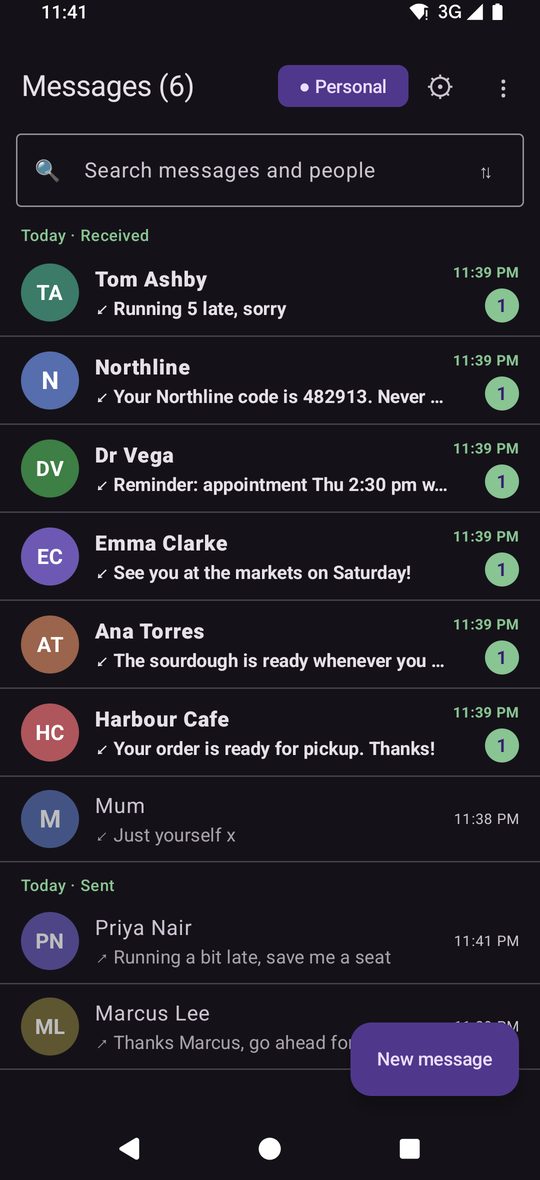
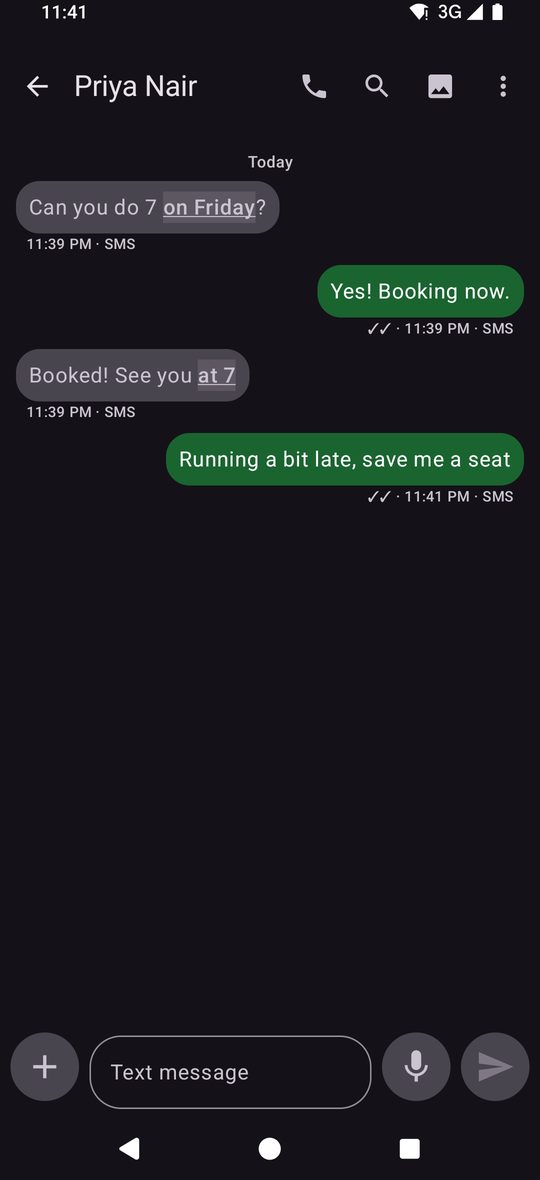
The messaging, dialler and contacts apps on GrapheneOS, and the ones in F-Droid, are thin on features. So most people settle for Google Messages, a paid Play Store app, or an ad-riddled free app from Aurora. Croft is free, full-featured, and its three apps work together.
Croft: the free suite
- Free to use, with no catch and no time limit.
- No ads and no telemetry. No Croft account.
- Messaging, Caller and Contacts work together, with no account or server involved.
- Signed updates for all three apps, checked and installed from one place.
- Texts are ordinary SMS and MMS. They go through your carrier and are not private.
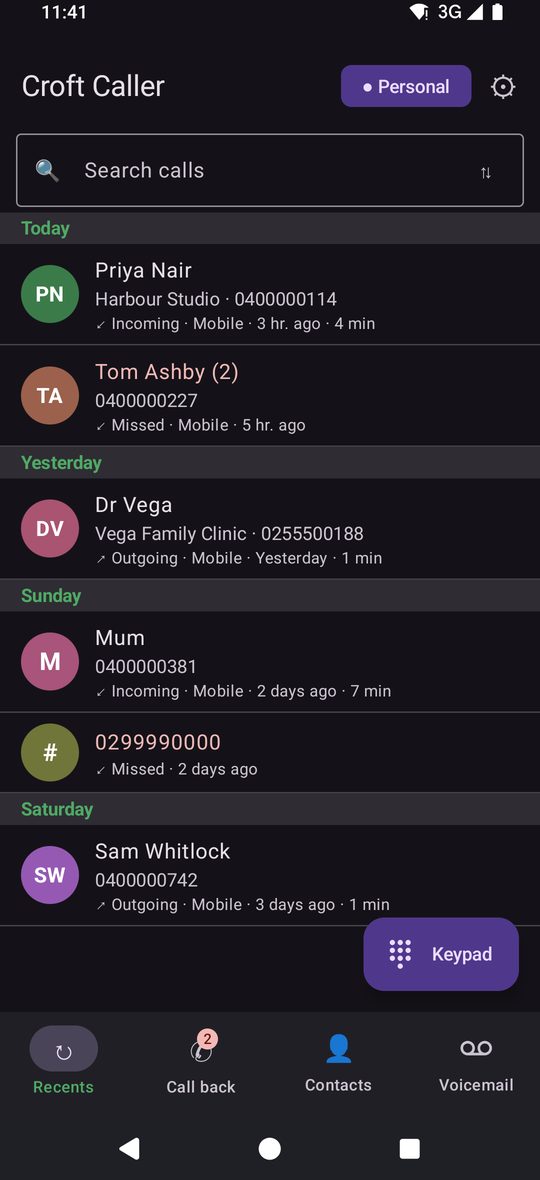
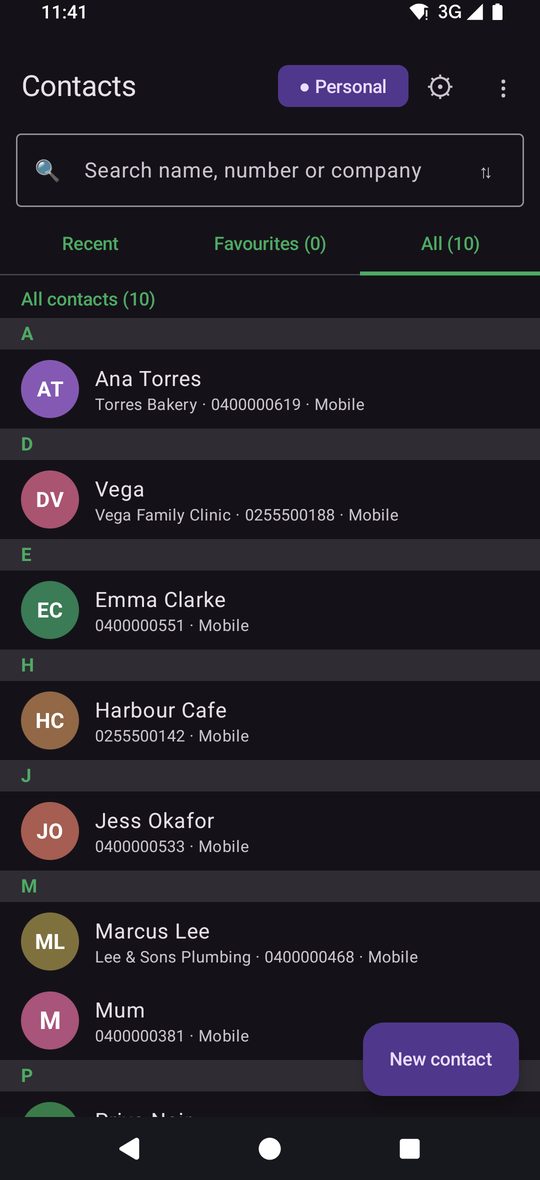
Apps that already know each other
Each one works alone, and hides what it cannot do without the others. Put them together and the seams disappear: a call, a text and a contact card are one tap from each other, and no account or server is involved.
Contacts to Caller
Call from a contact
Tap Call on any contact and the call is placed by Croft Caller straight away, no stop at a dial pad.
Messaging to Contacts
Tap a name for the contact card
From any conversation, the name opens the contact pop-up: call, message, email, history, edit.
Messaging to Caller
Call from a conversation
The Call button in the header rings the person; in a group it asks "Call who?".
Contacts to Messaging
Recent texts on the card
A contact's card shows the last few texts with them, and Reply in Messages opens the thread.
Caller to Messaging
Texts on the call screen
Decline with a text, write a text during a call, and see recent texts on the after-call screen.
Caller to Contacts
Names, photos, companies
Every call shows who it is from your contacts, with Contact info and Edit opening Croft Contacts.
All three
Personal / Business
One switch decides which number and email each person is reached on, in all three apps.
Caller to Messaging
Voicemail note
When your carrier tells the phone a voicemail was left, a note with who and when appears in Messages.
All three
History in one place
Calls, texts and notes for one person in a single feed, from a contact, a call or a conversation.
All three
Call in progress bar
While a call is on, a green bar in Messaging and Contacts takes you back to it.
All three
One look
Light, dark and palettes follow one setting; Contacts and Caller can match Messaging's.
All three
Updates for all
Messaging checks, verifies and installs updates for Contacts and Caller too.

Croft Plus: the paid add-on
coming soonEverything above, and now the conversations that matter are sealed.
Plus is the optional layer you switch on: sealed between people who have it, and still a normal text to everyone else, in the same thread. It also brings your phone's conversations to your computer, synced like a chat app.
Free suite
- SMS and MMS with search, scheduling and groups
- Contacts and Caller that are tidy and fast
- The three apps working as one, with no account or server
- Carrier-visible: SMS and MMS travel the carrier's network
With Plus
- Sealed messages and files with delivery ticks, reactions, replies, edit and delete for everyone
- Disappearing messages, typing and read indicators you can switch off
- Plus groups, Mixed or Plus-only, with a roster of who joined and a group code
- Private route: live through a relay, nothing stored
- Croft Plus for computer: your phone's conversations synced to a chat app on your desk
- Your computer, anywhere, not only at home (service in preparation)
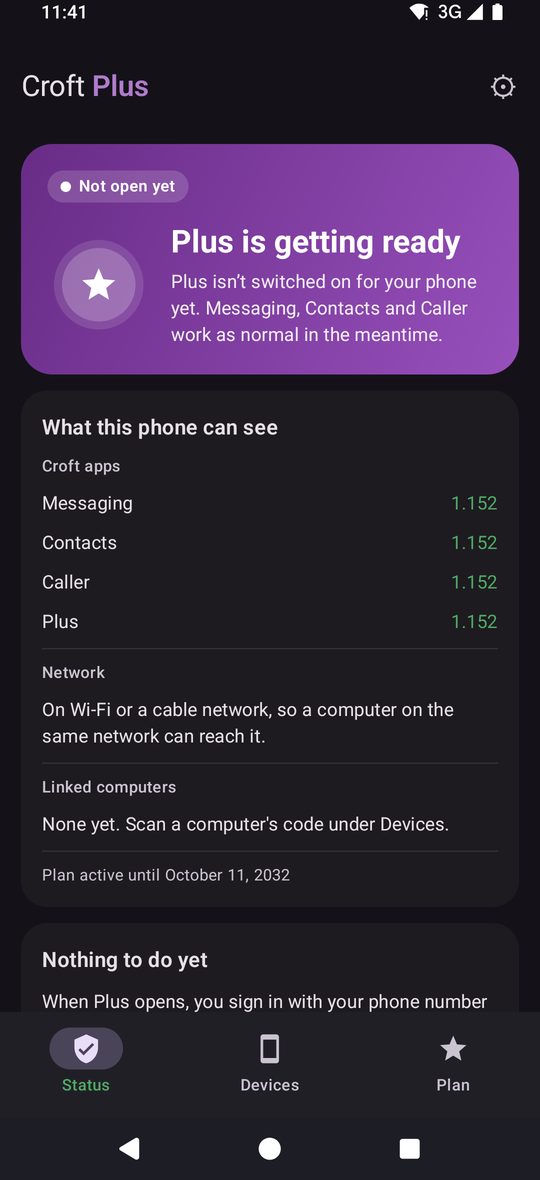
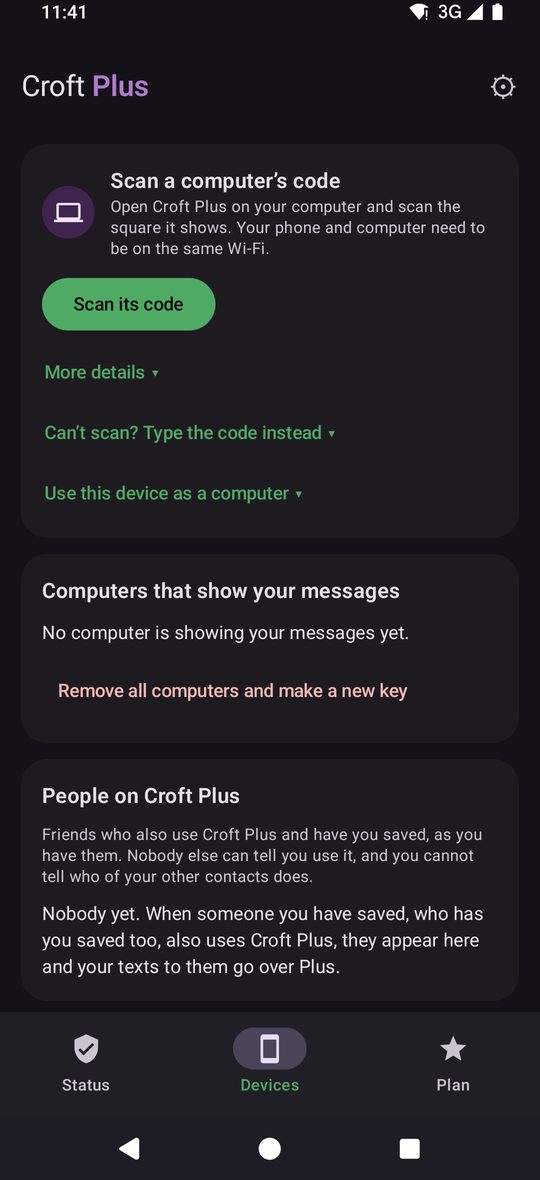
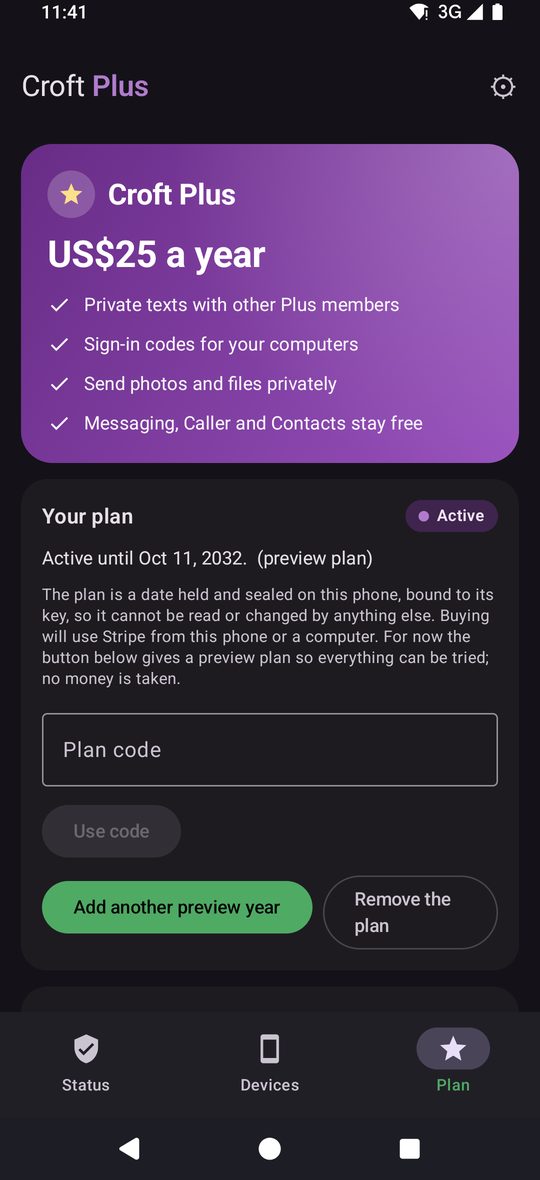
Croft Plus for computer
Linux workingWindows installer builtmacOS plannedYour phone's messages, as a chat app on your computer. It keeps a copy of your conversations on your desk and keeps it in step. SMS, MMS and Plus conversations sit in one list, and it talks straight to your phone over your own network, with no server in between.
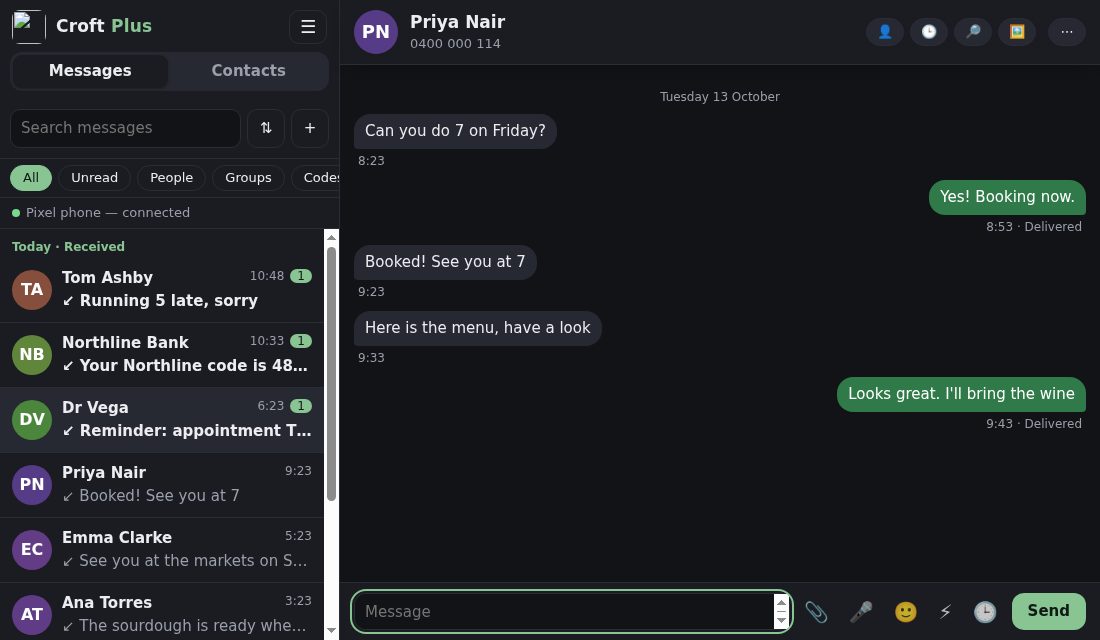
Type on a real keyboard
Pick up any conversation where the phone left it, search with Ctrl+K, and reply with Enter. Drafts are kept per conversation.
Drag and drop
Drop pictures and files into a conversation, or paste from the clipboard, review the tray, then send as a picture message from your phone.
Pictures the right way up
Sideways photos are straightened on the phone before they reach you, so the computer shows them upright.
Sync like a chat app
One list for SMS, MMS and Plus conversations, with the phone's own filters. New texts appear within seconds.
What stays the same
- Anyone not on Plus still gets your message as a normal SMS or MMS, in the same conversation.
- If you stop paying, you go back to the free suite and everything works as before.
US$25 a year
US$25 a year, one plan for every device you link. Messaging, Contacts and Caller stay free, with or without Plus. If a plan ends, texts go as ordinary SMS and MMS and nothing you had breaks.
Payment is preview only: the plan is simulated, no real billing yet.
Where things stand today
Messaging, Contacts, Caller, undo send and send later for text messages, and Croft Plus for computer on Linux
Built and in daily use
Plus messaging and files, Plus groups, the Windows installer
Built, being proven (groups emulator-tested, real-phone testing next)
Plus billing, remote access for the computer
Preview: billing is simulated, no real payments yet. Remote access needs the Plus service, which is not live yet
Voicemail notes, video auto-rotation, macOS companion, scheduling and undo for picture messages, in-app voicemail playback
Being finished (voicemail notes depend on what each carrier sends; video rotation unproven on real files)
Questions, answered straight
Is it end-to-end encrypted?
Plus messages and files are. Ordinary SMS and MMS cannot be, because the carrier network carries them. Croft says which is which.
Do you read my messages?
No. SMS and MMS never touch Croft. Plus messages pass through the relay encrypted end to end, so the service cannot read them.
Does the other person need to install anything?
Only for sealed messages. Otherwise they just receive a text.
Can I get my messages on my computer?
Yes, with Croft Plus. Croft Plus for computer keeps a copy of your phone's conversations on your desk and keeps it in step, like a chat app, talking straight to your phone over your own network. Linux is working, the Windows installer is built and macOS is planned. Reaching it from anywhere, not only at home, is in preparation.
What if I stop paying?
The free apps keep working as before. Texts to everyone go as ordinary SMS and MMS, and nothing you had breaks.
In Scotland a croft is a small holding, usually rented from a landlord. Croft is separate from Udal and doesn't use the Udal browser, apps or Tunnel.